 MindfulAccess
How to stop doomscrolling
Doomscrolling isn’t a lack of willpower. Feeds are built to remove every moment where you might stop. The fix is to put those moments back.
Put a pause before the app
- Install MindfulAccess and turn on Accessibility when it asks. That’s how the app sees what’s on screen.
- On Overview, tap Reflection Schedules and create a schedule.
- Choose the apps you scroll, then tap Continue.
- Pick Pausing and All Day, and tap Save.
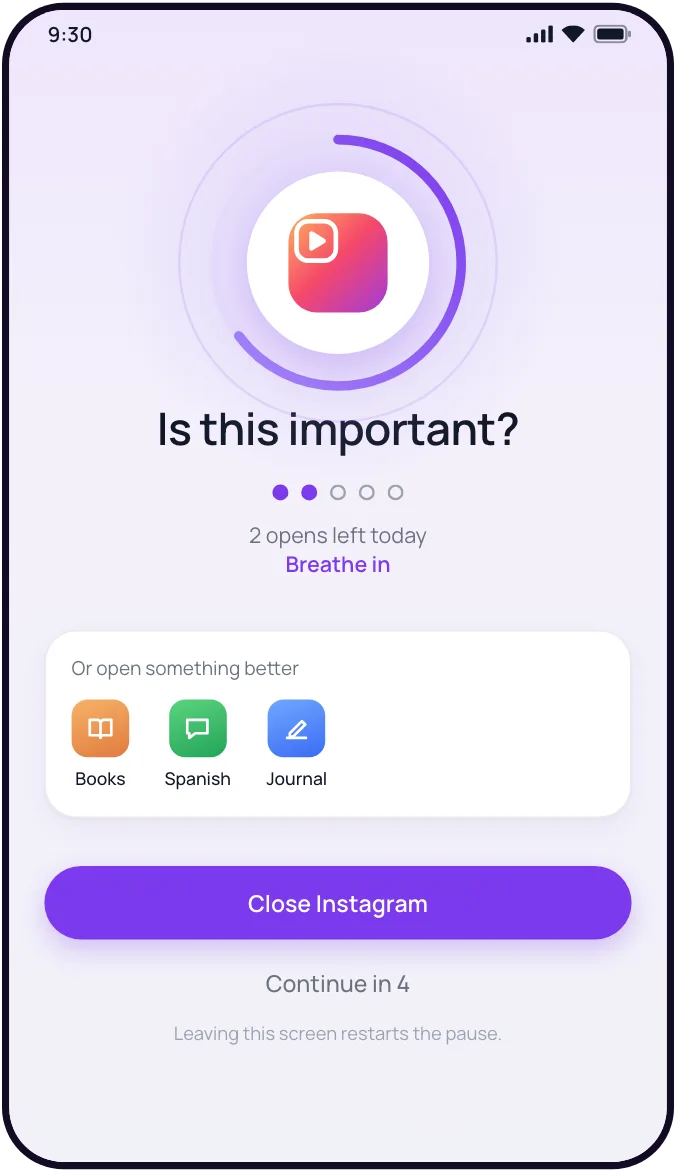
Now each time you reach for one of them, a short breathing pause asks “Is this important?”. Closing is one tap. If you keep coming back the same day, the pause grows a breath longer.
See the number
A small counter sits on Reels and Shorts while you scroll. It’s much easier to stop at “30” than at “a while”.
Cap the feed, keep the app
In Shorts Limits, give Reels and Shorts one daily budget, in reels or minutes. When it’s used up, they close until midnight, and messages and the rest of each app keep working. More in how to stop watching reels.
Don’t lose the night
Late evening is when scrolling runs longest. A Bedtime schedule with Blocking, locked in Settings, holds even at 1 a.m. See how to stop doomscrolling at night.
MindfulAccess is free on Android. No ads, no account.

More guides
- How to limit app usage on Android
- How to stop watching reels
- Block Instagram Reels, keep your messages
- Block YouTube Shorts on Android
- Block Facebook Reels on Android
- How to stop doomscrolling at night
- Block apps at certain times
- How to reduce screen time on Android
- Block apps without parental controls
- Limit how many times you open an app