 MindfulAccess
Block Facebook Reels and keep the rest of Facebook
Reels now sit in the middle of the Facebook app. MindfulAccess blocks just the Reels feed, or gives it a daily budget, so your feed, groups and Marketplace work as usual.
Block Facebook Reels
- Install MindfulAccess and turn on Accessibility when it asks. That’s how the app sees what’s on screen.
- On Overview, tap Shorts Limits.
- Under Facebook, set Facebook Reels to Block.
- That’s it. Open Reels and MindfulAccess takes you back out, with a short note saying why.
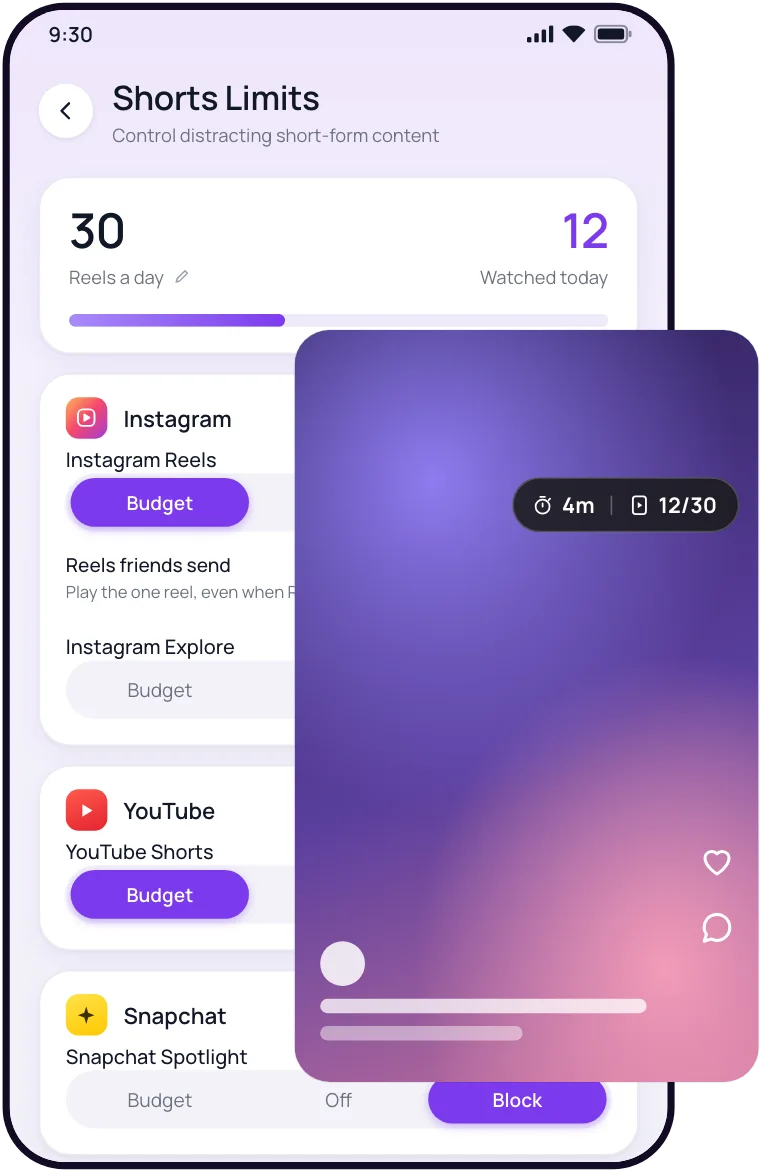
Rather keep a few?
Choose Budget and set a daily limit at the top of Shorts Limits, in reels or minutes. It’s one limit shared with Instagram Reels, YouTube Shorts, Snapchat Spotlight and Reddit, so when it’s used up, all of them close until midnight.
What still works
Your feed, groups, Marketplace and profiles. Only the Reels feed is limited.
Make it stick
In Settings, turn on Lock Shorts limits. Lowering your limit works any time; raising it waits for a daily 30-minute window you choose.
The built-in option
Digital Wellbeing in Android Settings can set an app timer for Facebook. It limits the whole app, not just Reels.
MindfulAccess is free on Android. No ads, no account.

More guides
- How to limit app usage on Android
- How to stop watching reels
- Block Instagram Reels, keep your messages
- Block YouTube Shorts on Android
- How to stop doomscrolling at night
- Block apps at certain times
- How to reduce screen time on Android
- How to stop doomscrolling
- Block apps without parental controls
- Limit how many times you open an app