MindfulAccess Get the app

Stop opening apps on autopilot.

A calm pause before the apps that pull you in. Count your reels, give apps a few opens a day, or block Reels and Shorts and keep the rest.

Get it on Google Play
  • Free
  • No ads
  • No account

Is this important?

2 opens left today

Leaving this screen restarts the pause.

The real pause screen. Try it.

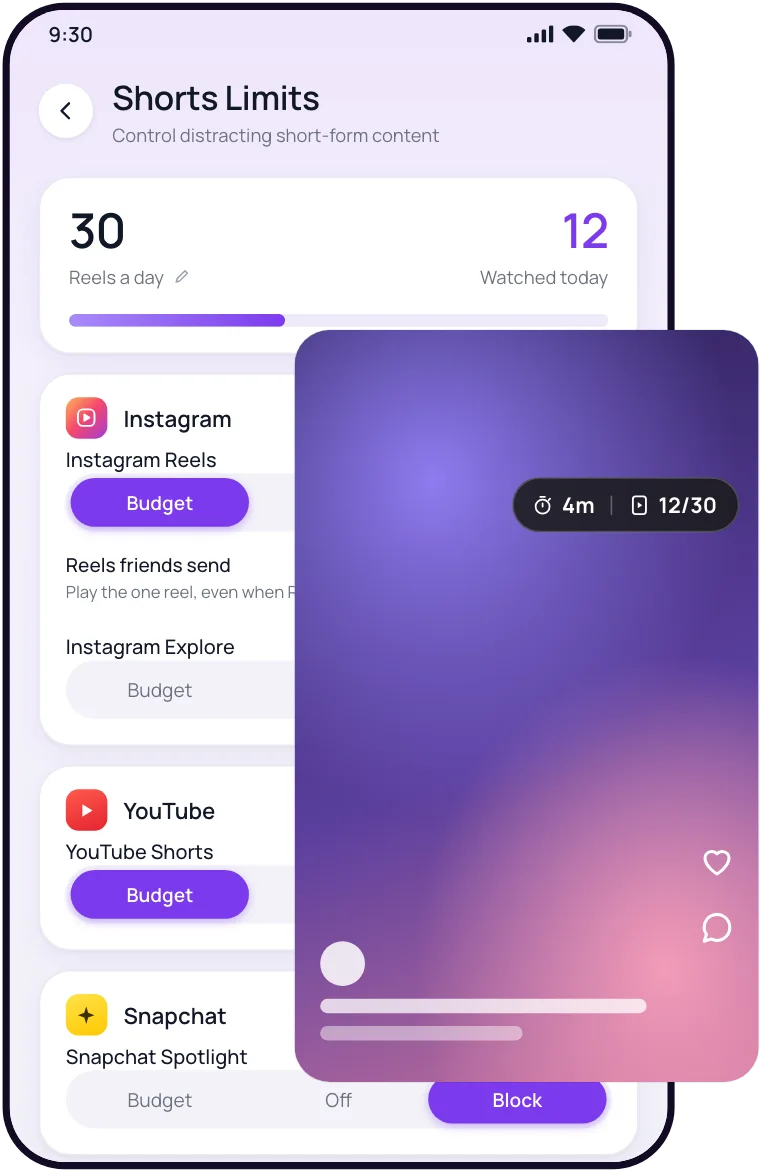
Every reel, counted.

A small counter sits on Reels and Shorts while you scroll. Set a daily limit in reels or minutes, and the rest of each app keeps working.

  • One shared limit across Instagram, YouTube, Facebook, Snapchat and Reddit
  • Block a feed completely, or give it a daily budget
  • Optional: reels a friend sends you still play; swiping on doesn’t
Shorts Limits set to 30 reels a day, next to a reel with the on-screen counter at 12 of 30 and 4 minutes left

A few opens a day.

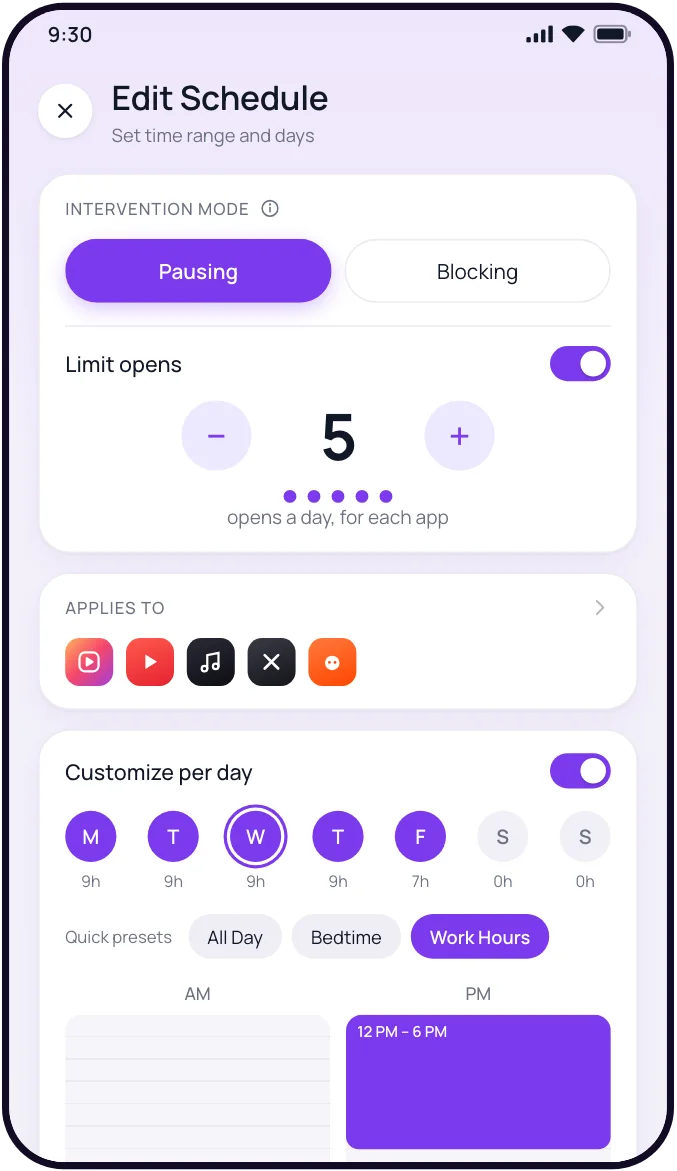
Most limits count minutes, but the habit is the reaching. Give an app five opens a day, and the pause shows how many are left.

  • When they’re used up, the app stays closed until tomorrow
  • Closing from the pause never costs an open
  • Work hours, bedtime, all day, or your own hours for each day
Schedule editor in Pausing mode with Limit opens set to 5 a day and different hours each weekday

Stricter tools, for the days a pause isn’t enough.

Willpower, backed up.

Lock your limits and schedules. Loosening them waits for a 30-minute window you choose.
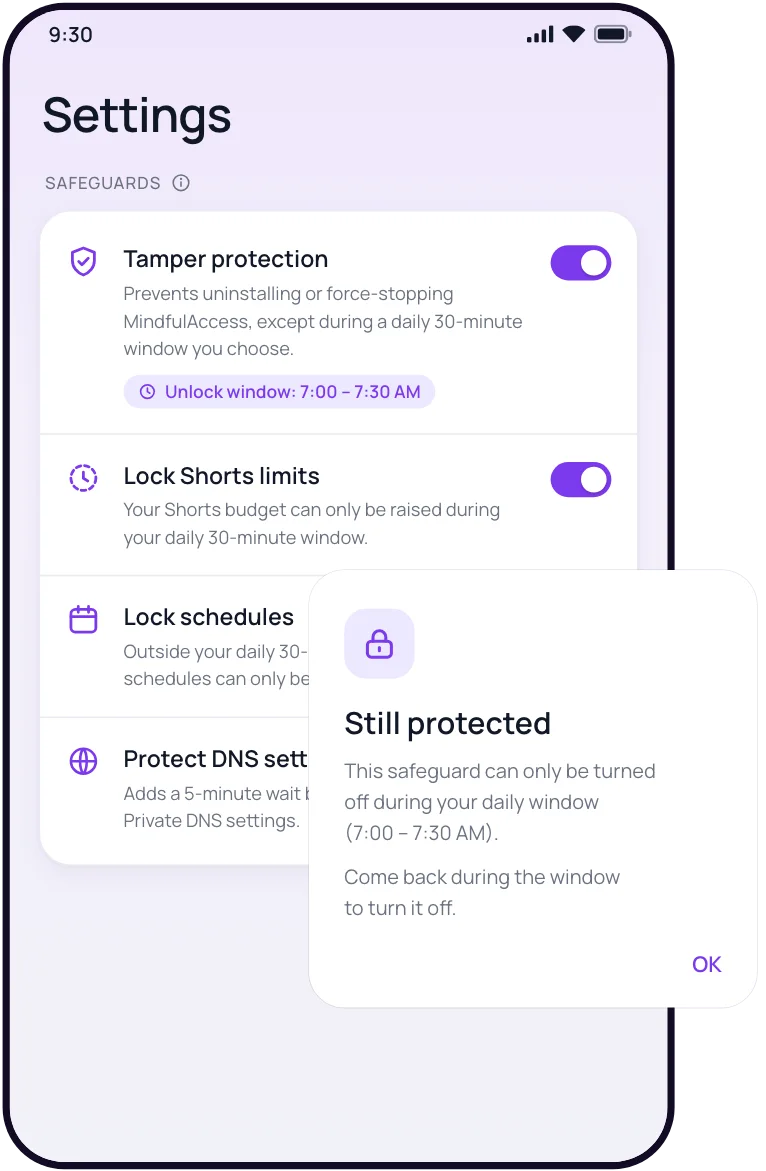
Settings with tamper protection, locked Shorts limits and locked schedules

See the time you got back.

Attempts, reels and screen time compared with yesterday, and the minutes you chose not to spend.
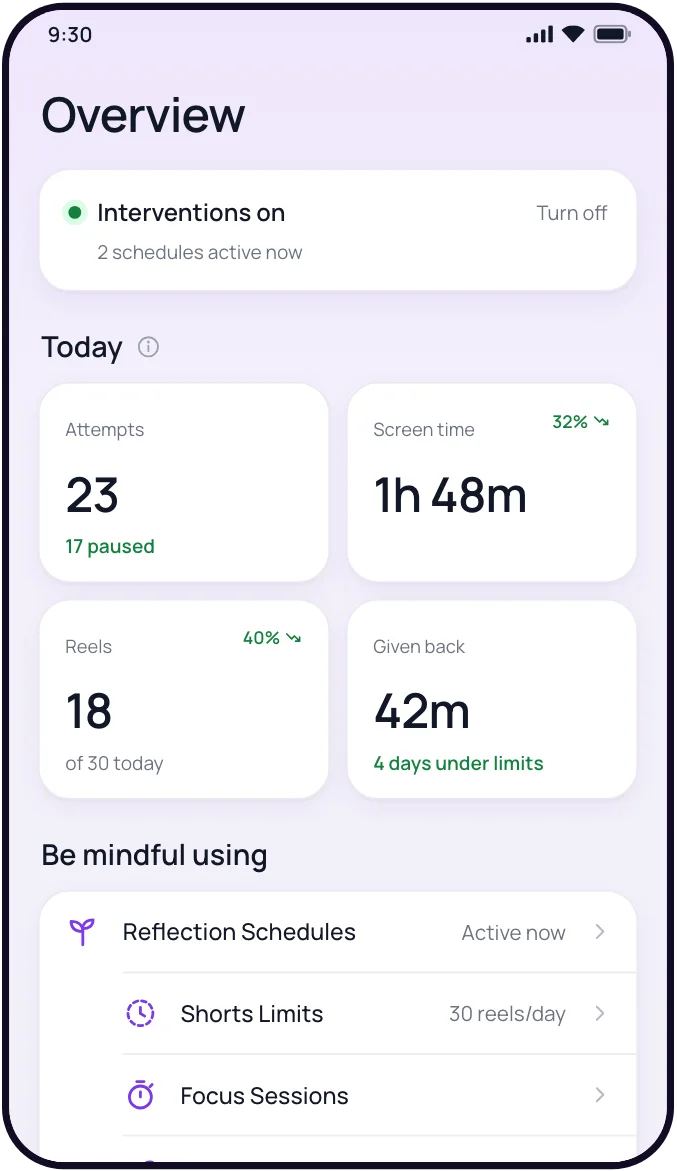
Overview with 23 attempts, 17 paused, screen time down 32% and 42 minutes given back

Adult content, blocked for good.

Adult sites, incognito tabs and explicit image results. Once it’s on, it stays on.
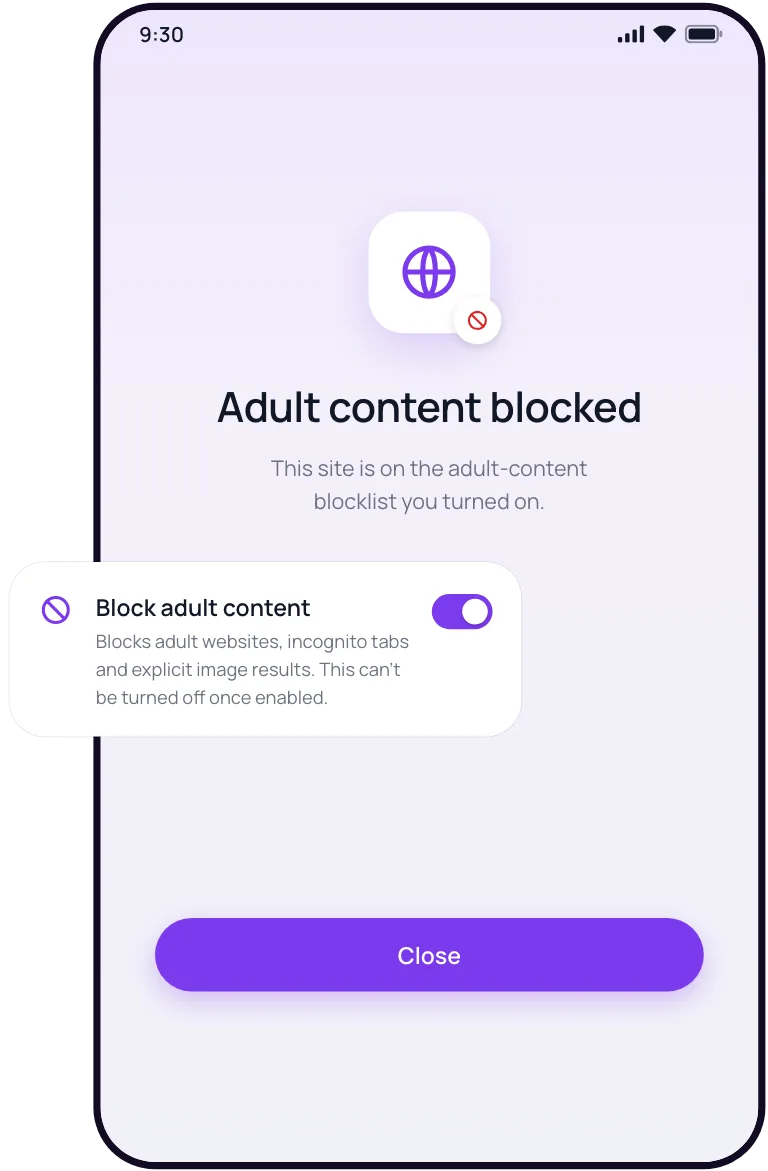
Adult content blocked screen with the blocking setting switched on

Deep focus, one tap away.

Block distracting apps for as long as you need. Strict mode means no quitting early.
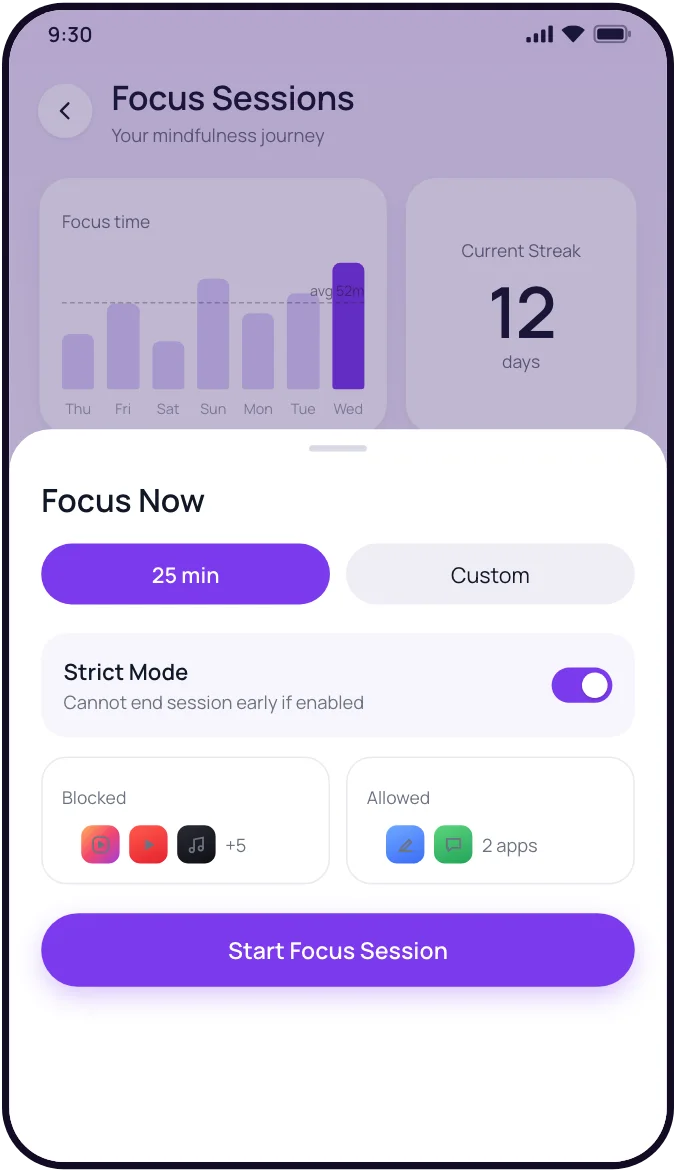
Focus Now sheet with a 25-minute session and strict mode on

Plain answers

What people ask before they install.

Why does it need Accessibility?
To see which app, or which part of an app like Reels or Shorts, is on screen, so it can pause or block what you chose. That’s the only thing it’s used for, and the app can’t work without it.
What does it cost?
Nothing. There are no ads and no account to make.
What happens to my data?
Your settings and app history stay on your phone. If you turn on adult-content blocking, image search results are checked with Google Cloud Vision. The privacy policy has the details.
Which apps does it work with?
Pauses, open limits and schedules work with any app you pick, and with websites. Reels and Shorts limits cover Instagram, YouTube, Facebook, Snapchat and Reddit.
Can’t Android do this already?
Android’s Digital Wellbeing can put a timer on a whole app. It can’t tell Reels from the rest of Instagram, so a timer there locks your messages too. MindfulAccess limits just the part that pulls you in, and counts how often you reach for an app.
Is there an iPhone version?
Not yet. It needs Android 7 or newer. On a computer, try the Chrome extension.

Take back the time you didn’t mean to spend.

Free on Android. No ads, no account.

Get it on Google Play

On a computer? There’s a Chrome extension too.